I built an app called YomiPlay — it turns Japanese audio and video into watchable, shadowable, editable, shareable learning material
Auto-transcribe meeting recordings, podcasts, and YouTube videos into clickable, furigana-aware, editable, exportable subtitles. YomiPlay isn't a player — it's a pipeline that turns a one-time listen into a reusable learning asset.
YomiPlay started from a very engineer-brained thought.
Working at a Japanese company, we record the screen during code review meetings so we can replay them later and double-check requirements and edge cases.
The reality, though: replaying audio and video alone is awkward, and the cognitive cost is high. Japanese meetings are especially hard — fast speech, dense terminology, layered context. Even after several passes, things still slip through.
So I started asking:
Could I turn meeting recordings, podcasts, and YouTube videos directly into material I can listen to, see, edit, and review later?
That's where YomiPlay began.
Core idea: turn audio/video into an actionable subtitle workflow
YomiPlay isn't a single-purpose tool — it's a full pipeline:
Import audio/video → auto-transcribe subtitles → translate + add readings → polish the subtitles → click-to-play any sentence → save locally and export to share
Let me walk through what it can actually do, in the order you'd use it.
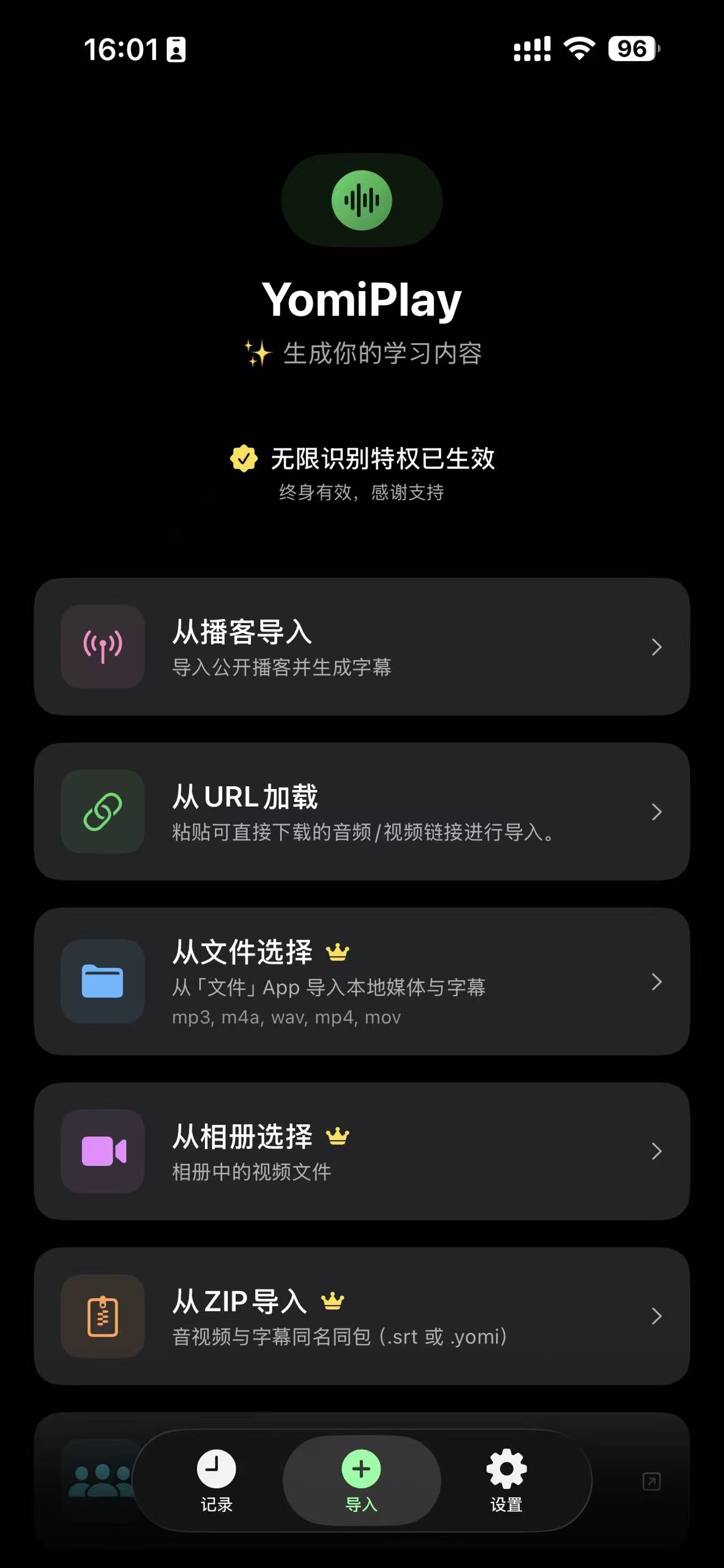
1. Multi-source import: bring in material however you want
You can grab study material in several ways:
- Upload local audio or video files
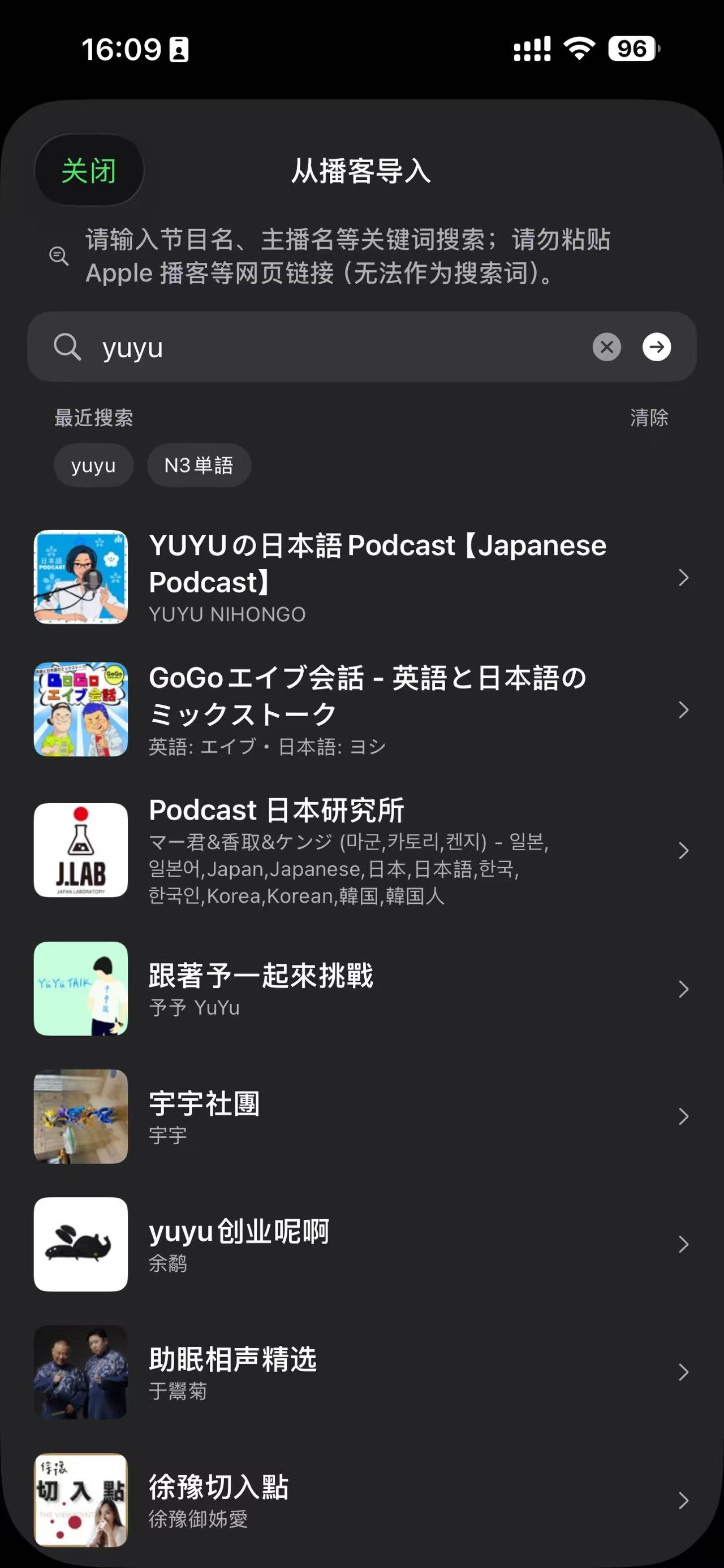
- Pull from a massive library of podcasts
- Download audio/video from YouTube and similar platforms
That means you don't have to change your content habits. Whether it's a work meeting recording, a tech interview, a Japanese podcast, or a Japanese YouTube channel — they all flow into the same learning pipeline.
| Import sources | Podcast browser |
|---|---|
 |
 |
2. Auto-transcribe: turn "I can't quite catch it" into "I can see it"
Once imported, YomiPlay uses an AI model to transcribe the audio/video into subtitle text.
This step solves the most fundamental — and most important — problem: structuring speech as text. Once speech becomes subtitles, comprehension jumps:
- No more blind listening
- Every point is rewindable and seekable
- Even long-form audio reveals its key sections quickly
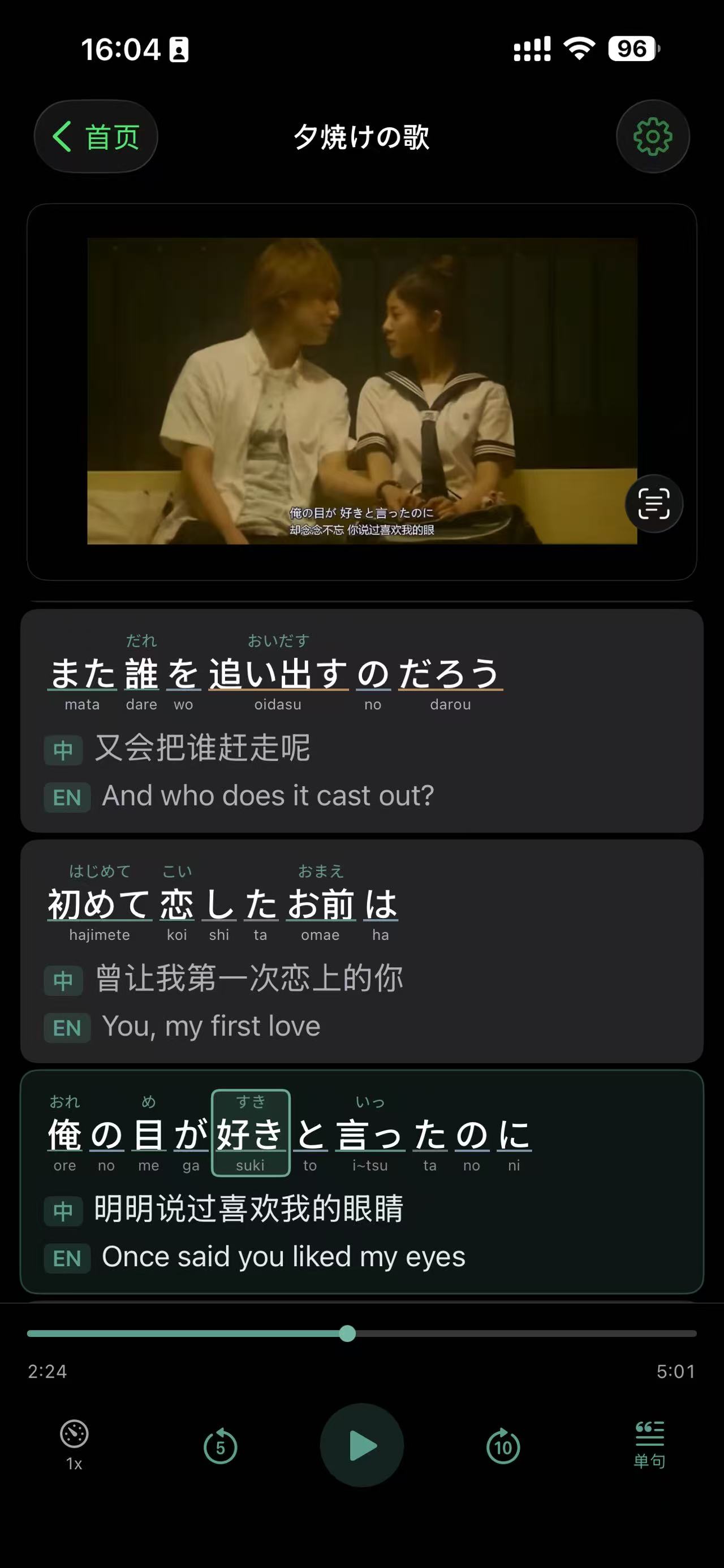
3. Subtitles linked to playback: click a line, jump to that moment
YomiPlay lets subtitles drive playback in reverse:
- Click any subtitle to jump straight to that moment in the audio/video
- Loop a single sentence for intensive listening practice
- Re-find the exact discussion point during a meeting review
This is far more precise than dragging the progress bar, and ideal when you only want to review one specific line or paragraph.
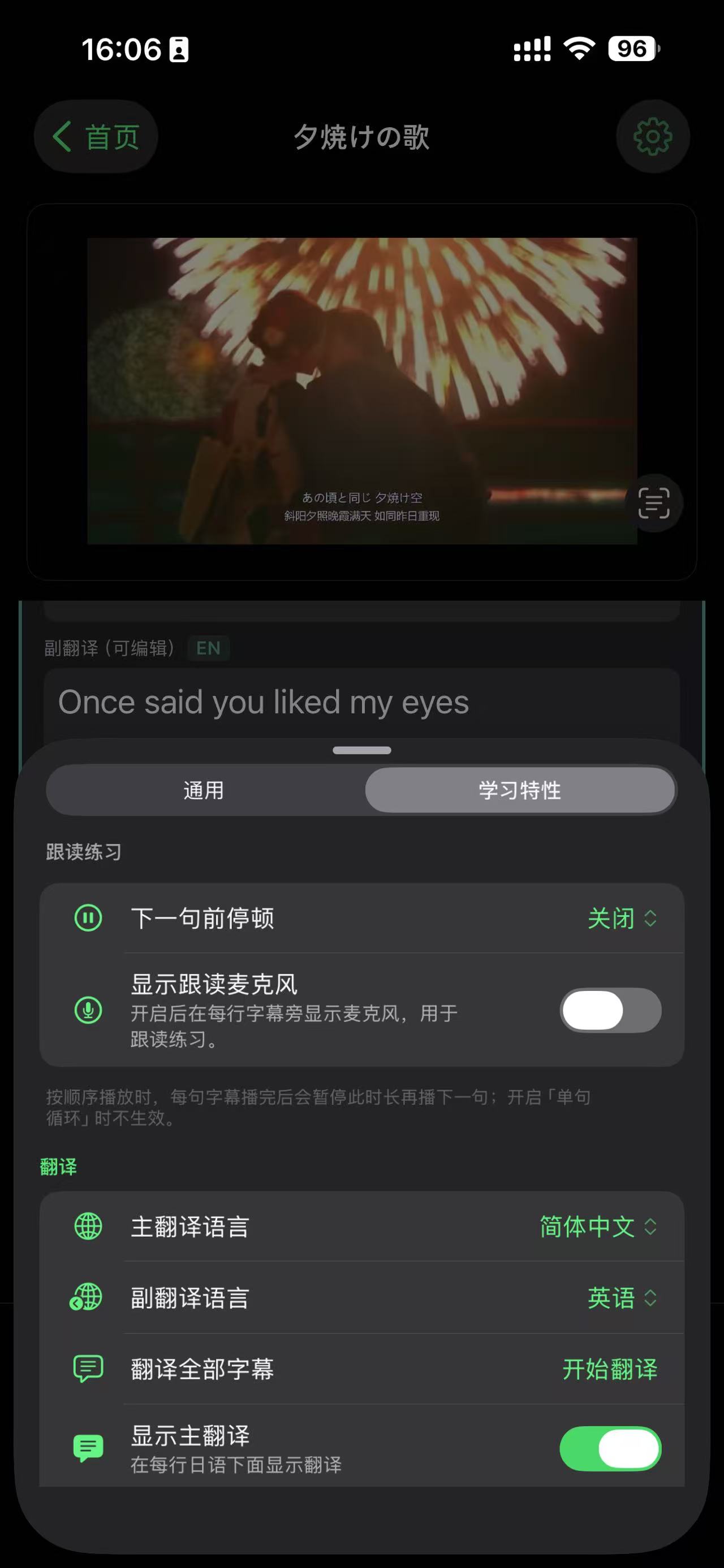
4. Subtitle translation: switch to your native language to grasp the content
For Japanese learning or cross-language understanding, YomiPlay supports subtitle translation. You can render subtitles in a language you're more comfortable with for parallel reading.
The point isn't to replace the original — it's to:
- Lower the bar for first-pass comprehension
- Help you sanity-check meaning
- Free your attention for the truly tricky parts
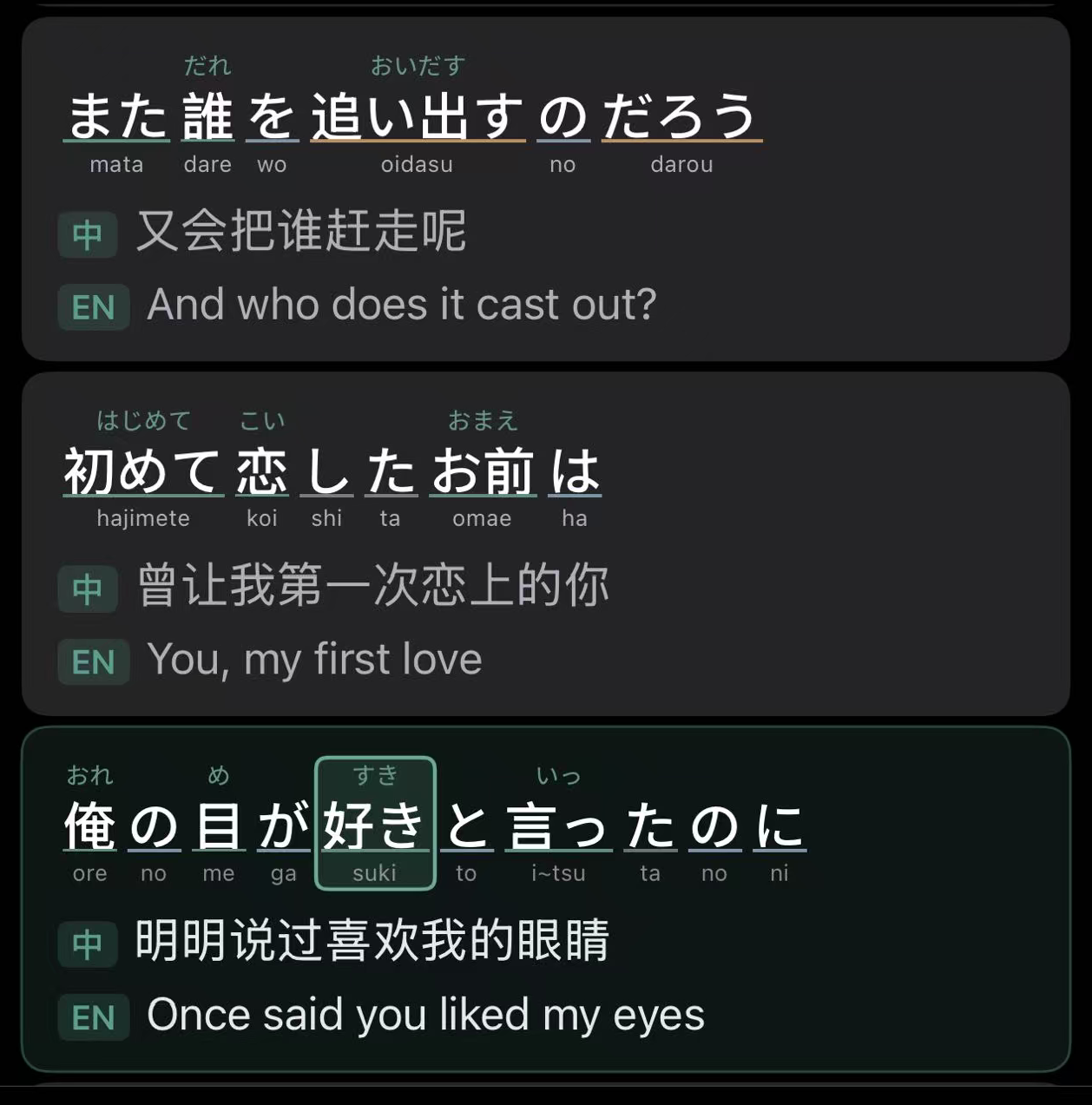
5. Reading annotations: building on YomiMark's experience for Japanese readability
This is one of YomiPlay's distinctive capabilities. Drawing on what I learned building YomiMark, YomiPlay adds Japanese-specific learning aids:
- Japanese readings (furigana) — so you can lock in pronunciation quickly
- Loanword (katakana) readability support — surfacing the English original or its translation
For learners stuck in the "I sort of understand but can't read smoothly and can't catch it by ear" zone, this step is a big help.
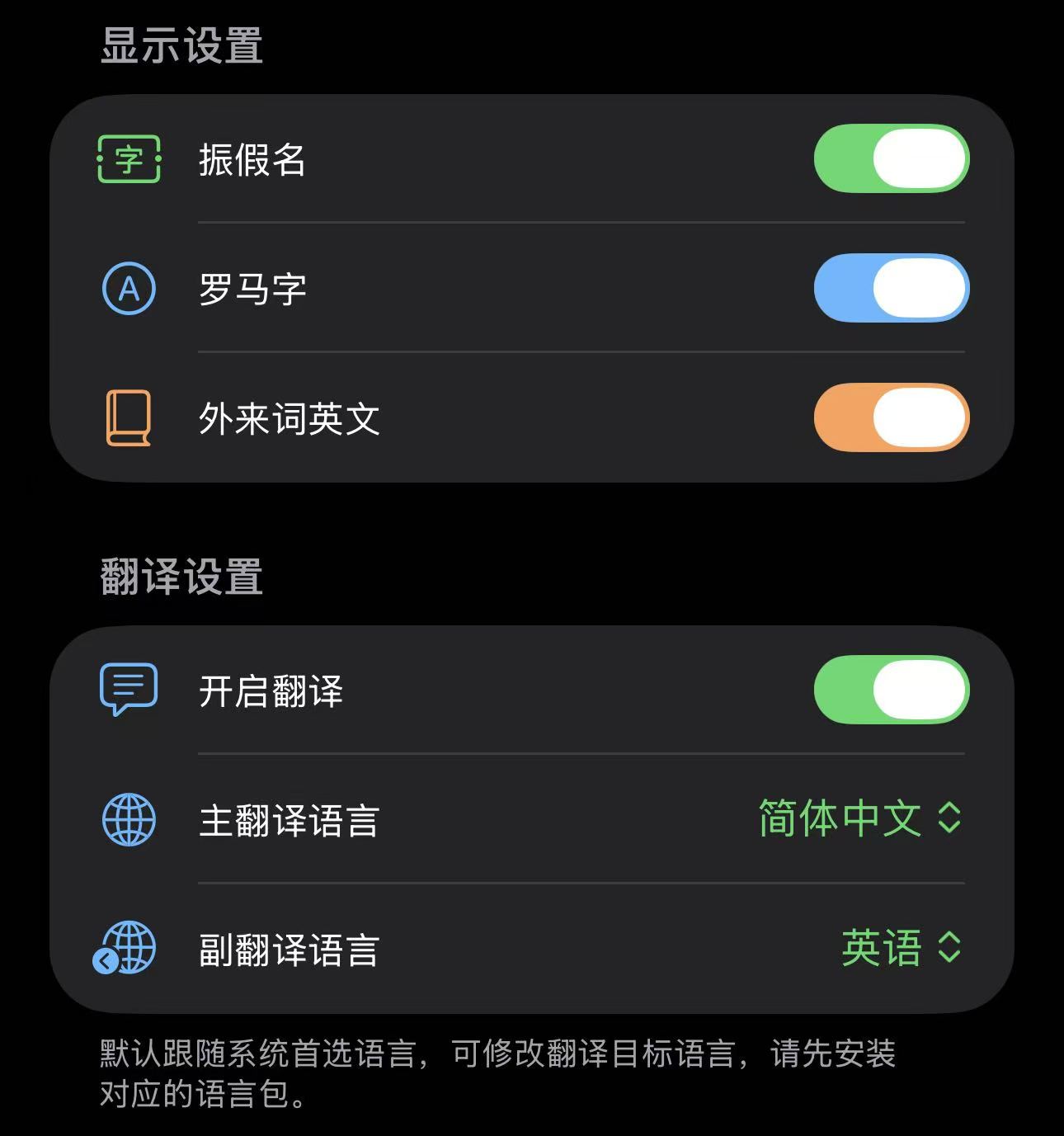
6. Polish subtitles while listening: study material isn't "done" when it's generated
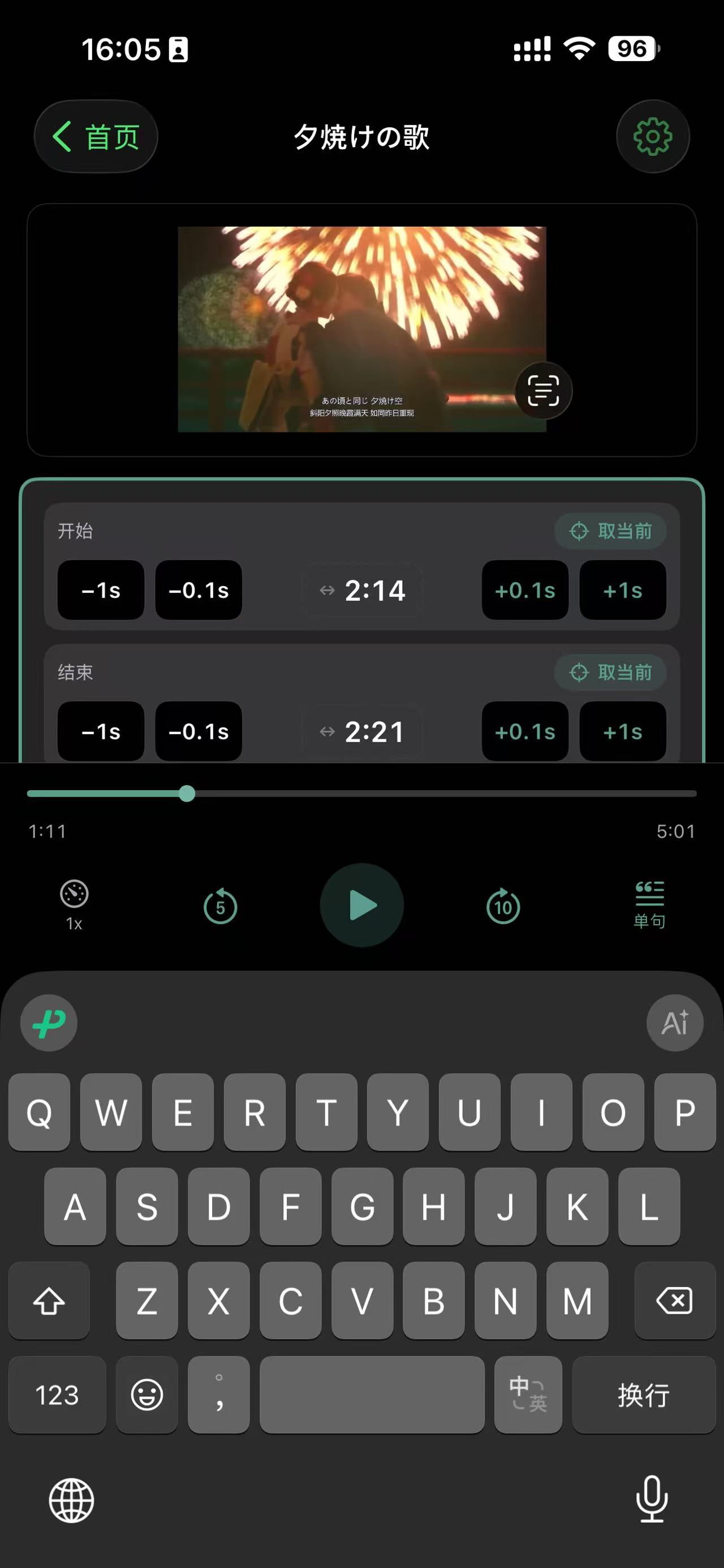
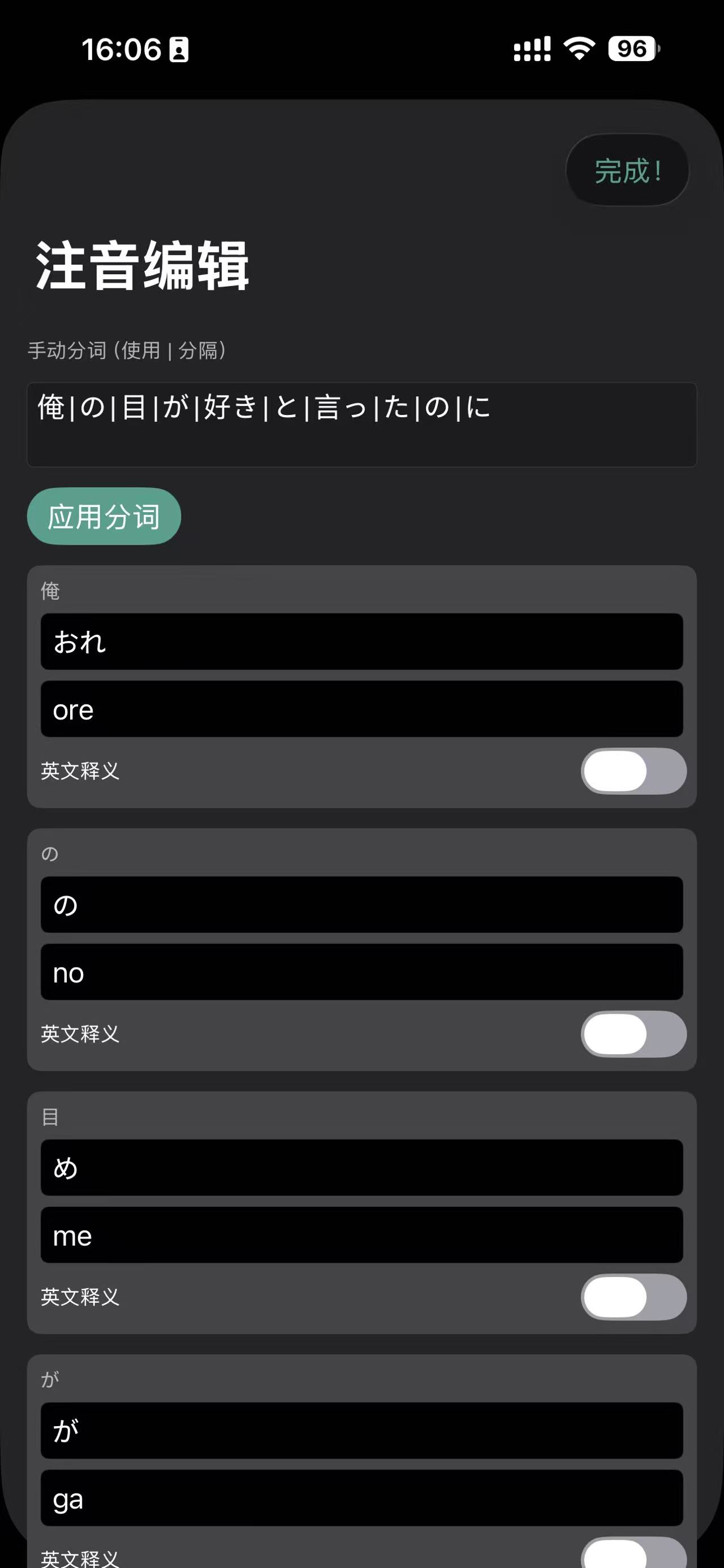
YomiPlay doesn't just auto-generate — it also lets you polish subtitles while you play:
- Listen and correct text as you go
- Turn machine output into something accurate and tuned for your own review
- Convert one-off content into long-term reference material
This is particularly useful for meeting reviews — you can lock in the exact meaning of key terms and requirements, and the act of polishing subtitles is itself a great learning loop.
| Edit timeline | Reading editing |
|---|---|
 |
 |
7. Local storage: building your private learning corpus
The final subtitle files are stored locally on your device — no network required while studying.
This means you can steadily accumulate your own Japanese corpus, used for:
- Shadowing practice
- Intensive-listening review
- Terminology recall
- Spoken-expression imitation
Beyond convenience, the real win is this: the more you consume, the more reusable material you've built up.

8. Export and share: from solo learning to co-learning
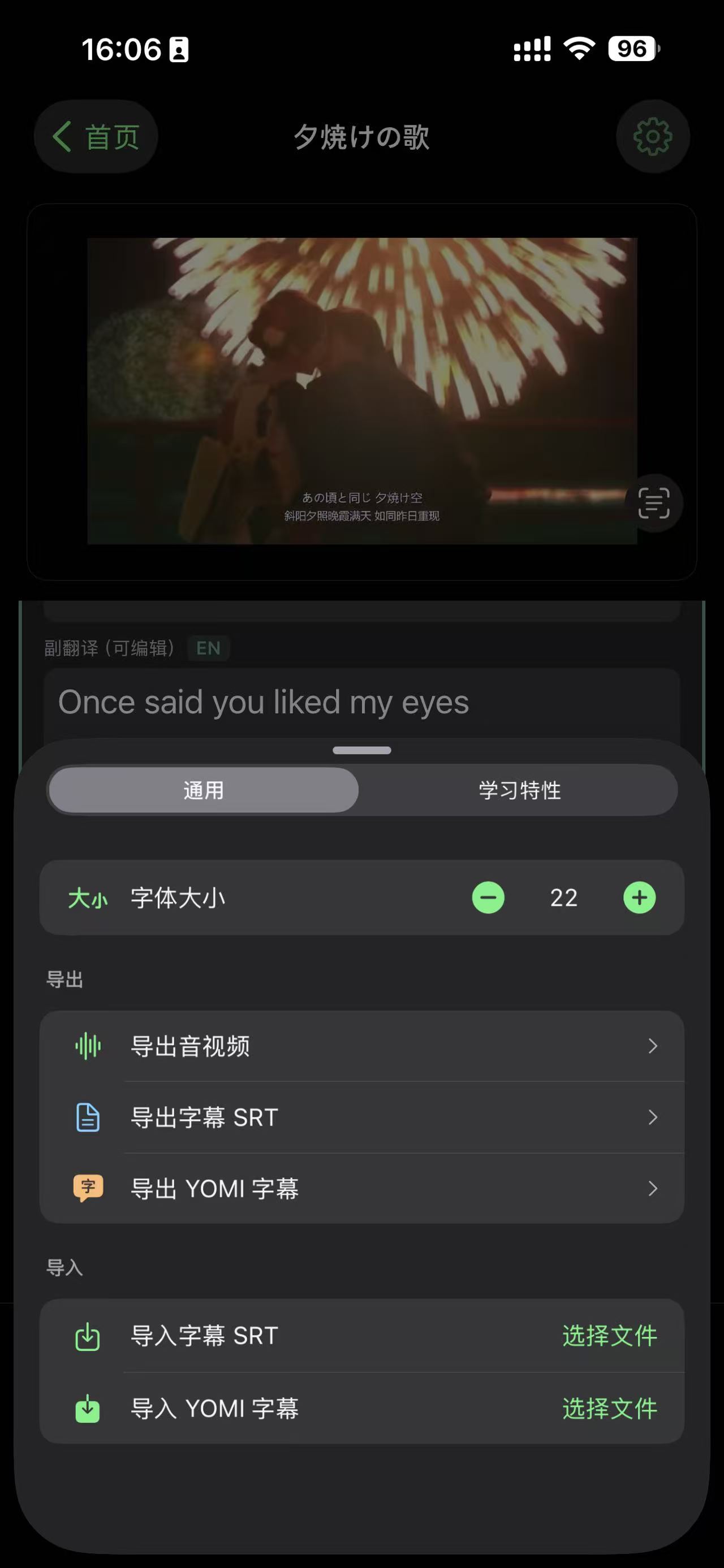
If you want, you can export the curated material and share it with friends or coworkers.
Going from solo study to co-learning multiplies the value of the same quality content.
Who is YomiPlay for?
- Engineers and professionals who need to review Japanese meeting recordings
- Japanese learners who want podcasts and YouTube as real-world source material
- Long-term learners who want to turn "I listened to it once" into "I have something to review"
- Content users who need subtitles that are editable, seekable, and exportable
Closing: I didn't build a "player" — I built a reusable learning loop
YomiPlay's goal is straightforward:
Turn audio/video from one-time consumption into trainable, reusable, shareable learning assets.
If you also struggle with "I can't catch it / I listen a lot but nothing sticks / reviewing is hard," YomiPlay was made for you. I hope it helps you convert every input into visible growth.
Developed with care by Toshiki.Tech